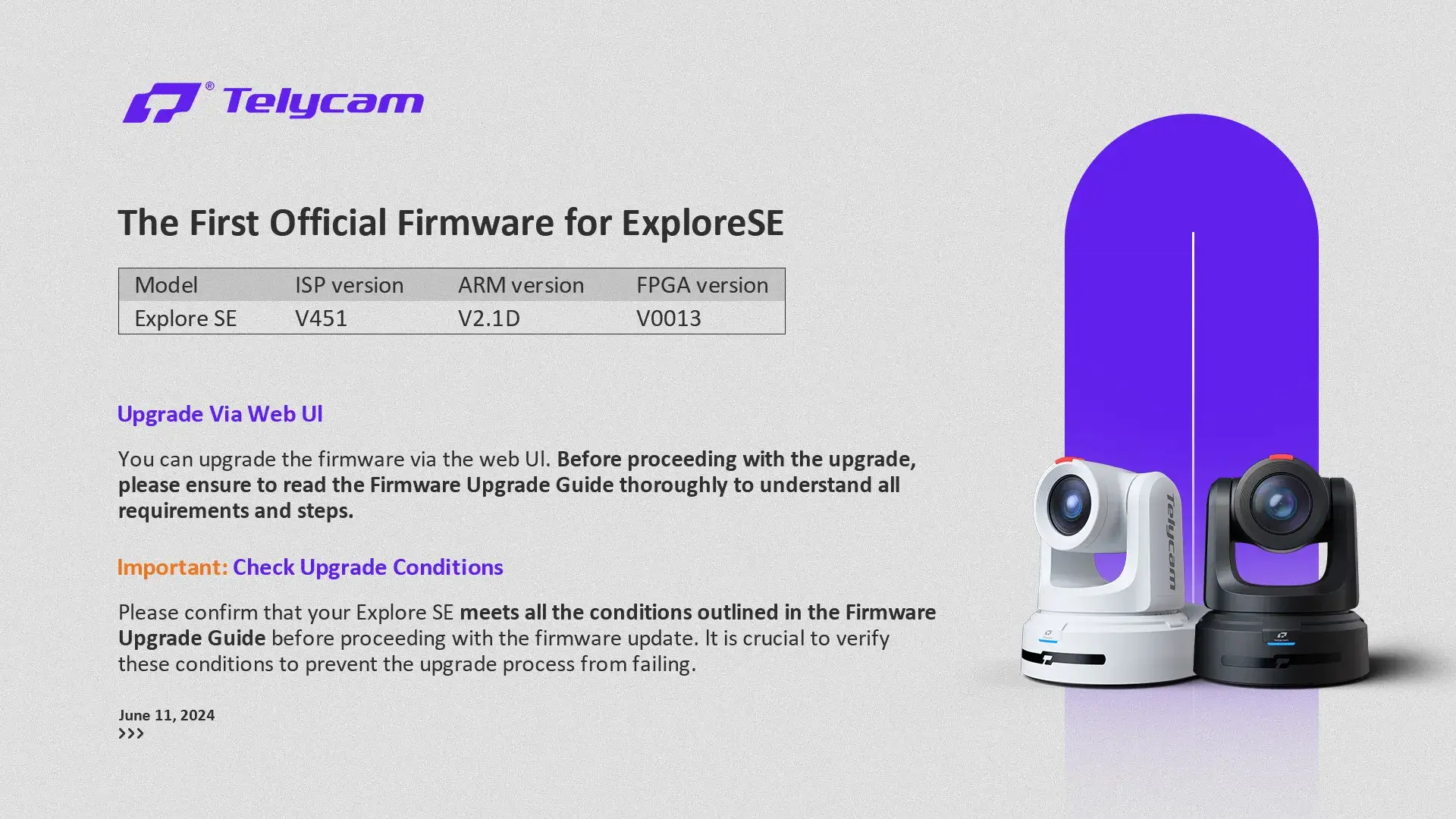
We are pleased to announce the release of the first official firmware for the Explore SE.
For those currently using a beta version, we highly recommend upgrading to this latest release to take full advantage of the improvements.
Upgrade Via Web UI
You can upgrade the firmware via the web UI. Before proceeding with the upgrade, please ensure to read the Firmware Upgrade Guide thoroughly to understand all requirements and steps.
Check Upgrade Conditions
Please confirm that your Explore SE meets all the conditions outlined in the Firmware Upgrade Guide before proceeding with the firmware update. It is crucial to verify these conditions to prevent the upgrade process from failing.
Important Firmware Upgrade Notice for FPGA Part
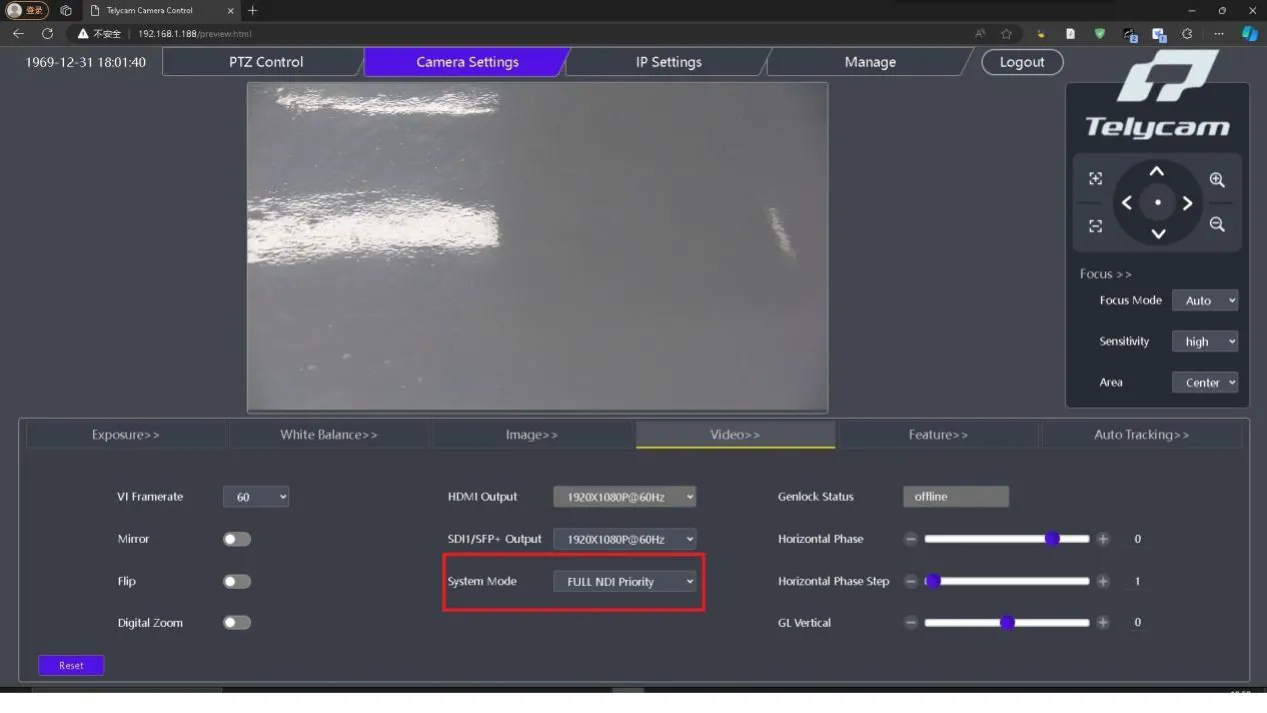
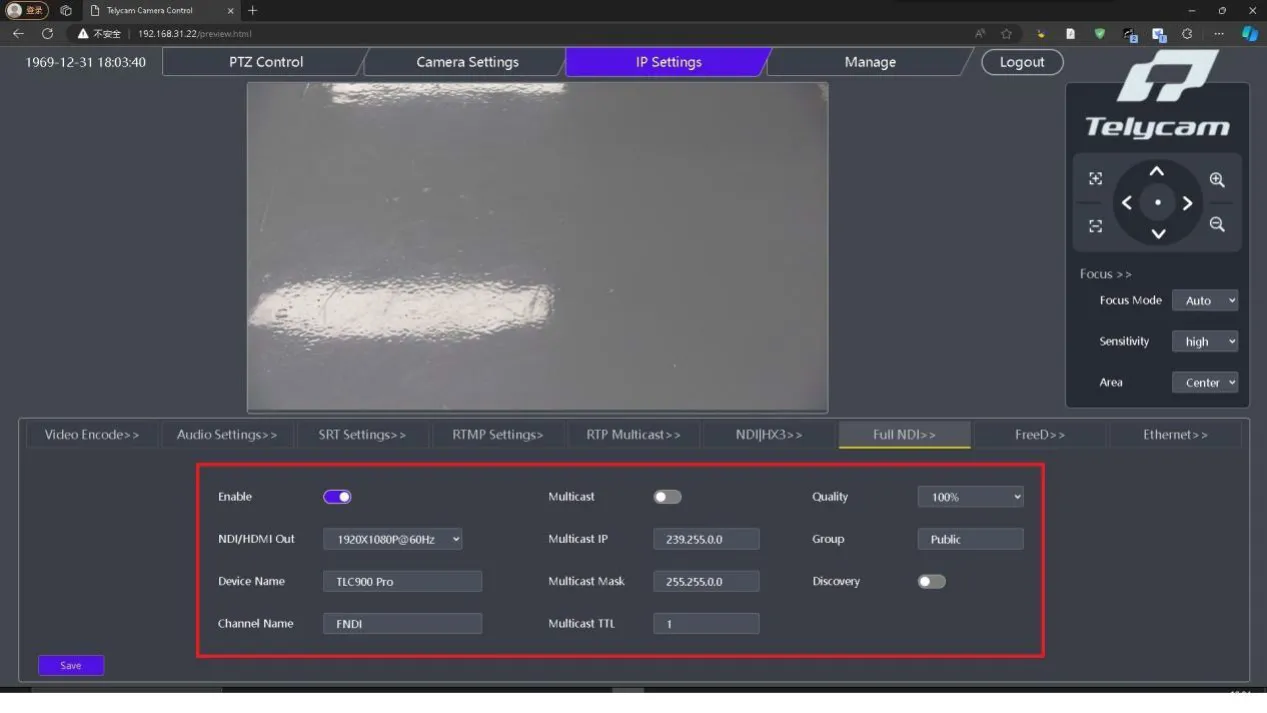
To successfully upgrade the FPGA part via web, the following two conditions should be met, if not, please modify the following figure:
1. System Mode Setting must be FULL NDI Priority.
2. Enable FULL NDI.
Experience the best of Explore SE with this latest update. For assistance or more information, please email us at support@telycam.com