
Telycam + Bitfocus Companion
Flexible PTZ Camera Control for Modern Production
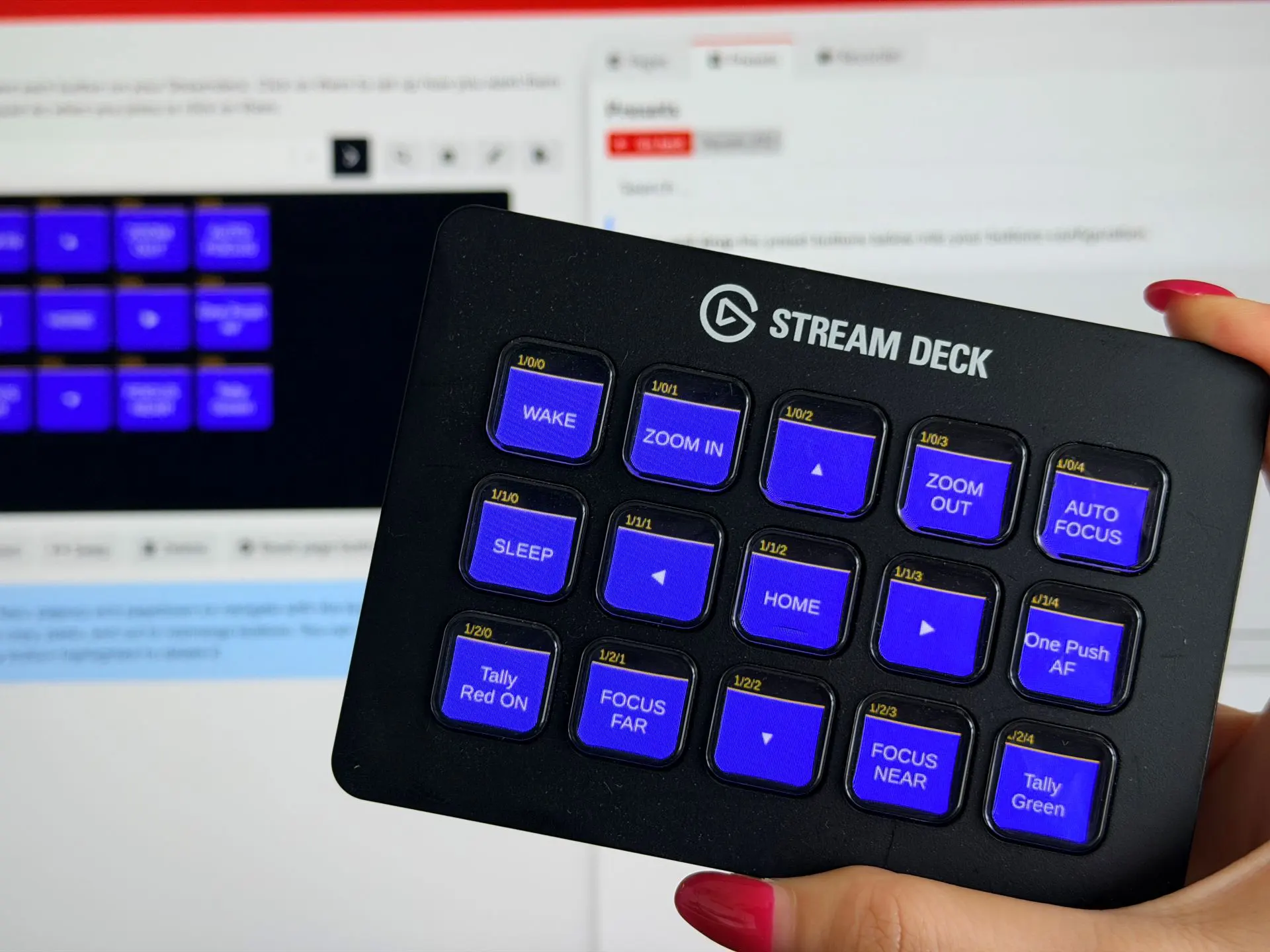
Telycam’s official Bitfocus Companion module brings professional PTZ camera control directly into the Companion ecosystem, allowing operators to manage Telycam cameras through a flexible and customizable production workflow.
Supporting Telycam’s Explore, Vision, and Drive series, the module provides seamless integration with Companion, enabling users to control essential camera functions from the same interface used to manage other production devices.
Bitfocus Companion goes beyond traditional hardware controllers. Whether you are using a Stream Deck, a web browser, a laptop interface, a touchscreen device, or other Companion-compatible controllers, Telycam cameras can be integrated into a unified control environment that adapts to your workflow.
From individual operators building a custom control setup to professional teams managing complex production environments, Telycam + Bitfocus Companion provides a scalable and flexible approach to PTZ camera operation.
Full Camera Control, All from One Surface
The v1.2.0 module brings all essential Telycam camera functions into Companion, giving operators a unified control interface across every stage of live production.
PTZ & Focus Control
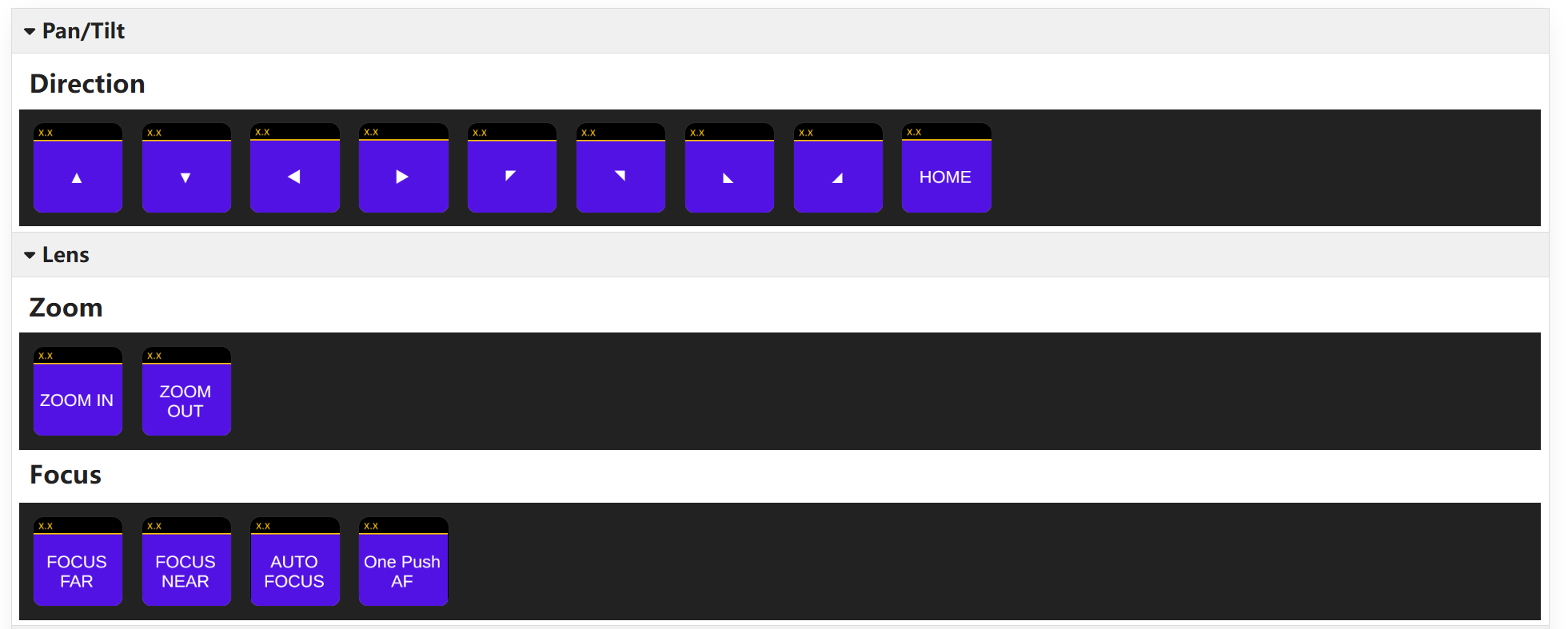
Pan, tilt, zoom, and focus in real time with full 8-direction diagonal movement. Store and recall up to 50 camera presets instantly.
Image Parameters
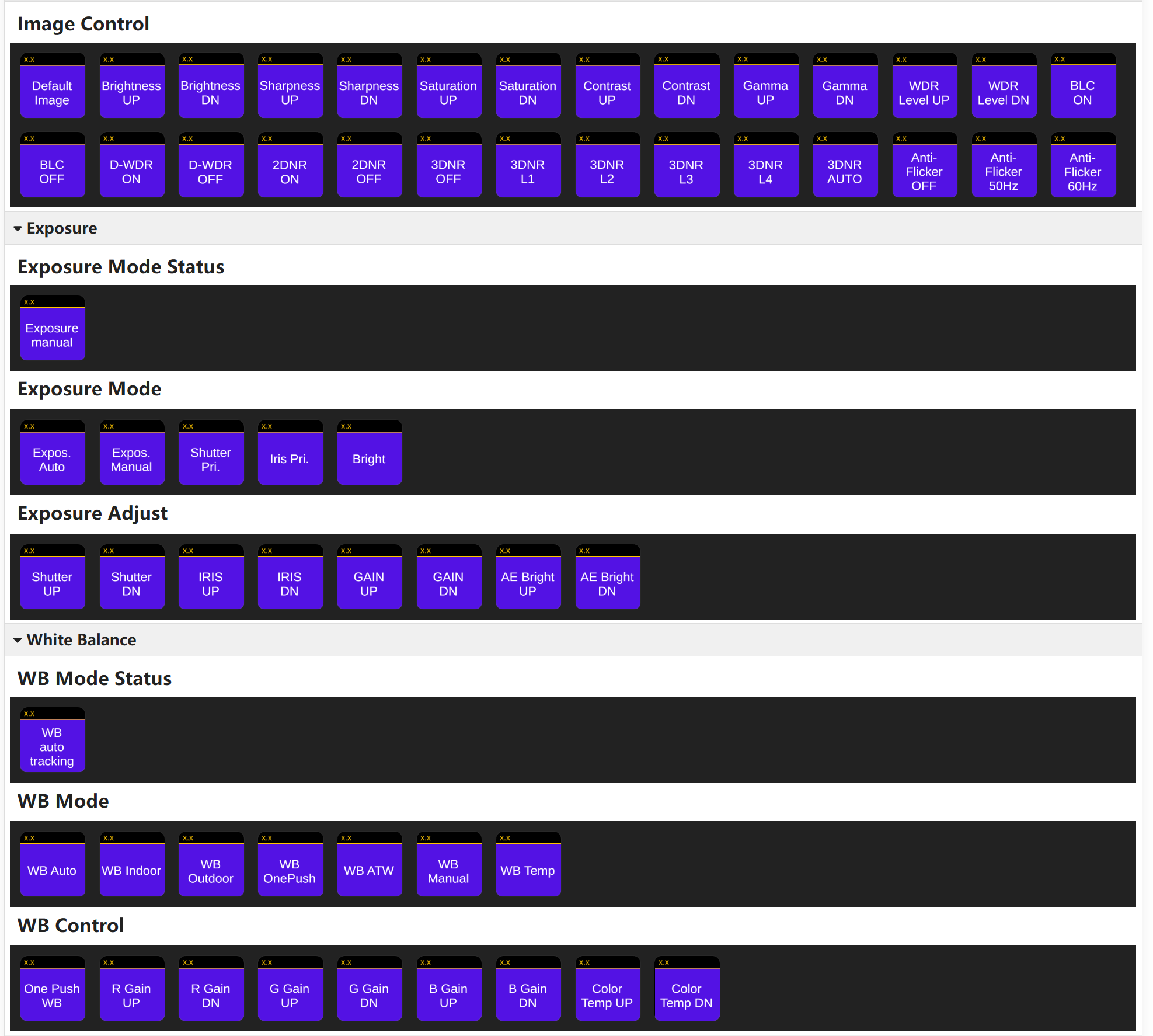
Adjust white balance, exposure, WDR, backlight compensation, and noise reduction on the fly. Mirror and flip controls included.
Auto-Tracking
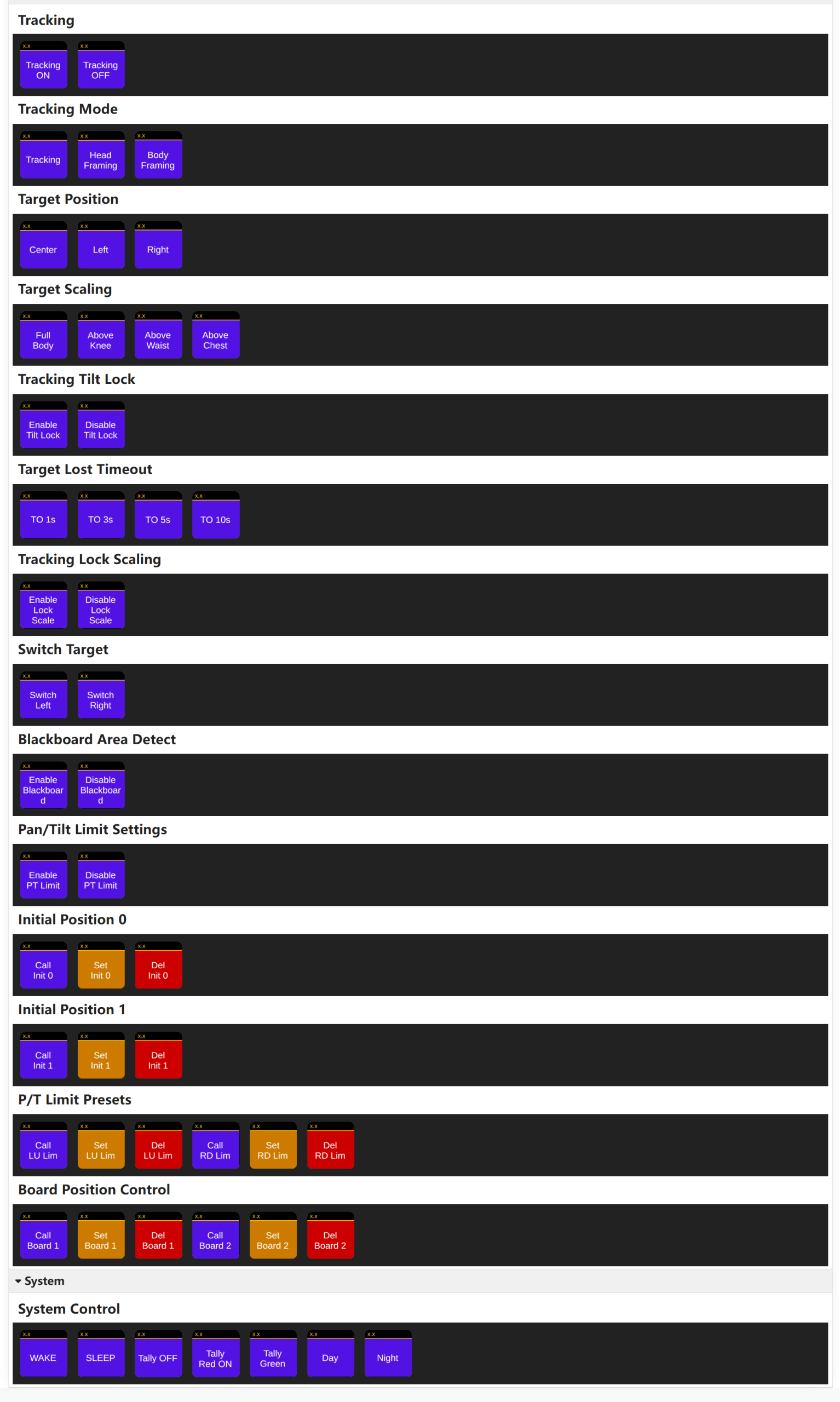
Enable/disable tracking on demand, switch between head and body framing, and manage target switching. Supports blackboard area detection.
System Control
Wake, sleep, switch day/night mode, and set tally light status (off, red, or green) all from the same surface.
Quick Setup Guide
Connect Telycam PTZ Cameras with Bitfocus Companion
Getting started with Telycam and Bitfocus Companion is simple. In just a few steps, operators can install the official Telycam module, connect their PTZ cameras, and create a customized control workflow for their production environment.
Watch the step-by-step guide below to see how to configure the module, assign camera controls, and build your own Companion interface.
How to Set Up Telycam PTZ Cameras in Bitfocus Companion
Install Bitfocus Companion
Download and install the latest version of Bitfocus Companion, then launch the Companion interface to begin configuration.
Add the Telycam Companion Module
Navigate to Connections and search for “Telycam PTZ IP Camera” in the Companion module registry. Add the module to your workspace.
Connect Your Telycam Camera
Enter your camera’s IP address to establish the connection. Once connected, Telycam PTZ cameras can be controlled directly from the Companion interface.
Customize Your Control Layout
Create personalized control pages for different workflows, such as camera operation, preset management, or production scenes. Simply drag and drop Telycam actions to build your preferred interface.
Connect Your Preferred Control Surface
Use Companion with a variety of control options, including Stream Deck, Xkeys, web interfaces, or other supported devices, and keep your workflow consistent across different production environments.
Flexible Applications
Versatile control solutions designed for various professional production environments.
Live Events & Staging
Build customized operator panels for dynamic productions, giving teams quick access to essential camera controls.
Broadcast & Live Streaming
Support multi-camera production with fast camera switching, preset recall, and centralized PTZ control for live workflows.
Corporate AV & Enterprise
Simplify control across meeting rooms, presentation spaces, and multi-room environments with a unified interface.
House of Worship
Create simple, reliable camera workflows that allow teams and volunteers to operate confidently with minimal training.
Education & Hybrid Learning
Enable smarter classroom production with easy camera control, auto-tracking support, and streamlined lecture capture workflows.
Home Studio & Creation
Build a streamlined studio workflow with PTZ control, OBS integration, and customizable production actions.
Total Control. One Surface.
The official Telycam Bitfocus Companion module gives operators the flexibility to create customized PTZ control workflows that match their production needs. By bringing Telycam cameras into the Companion ecosystem, users can combine camera operation with a wide range of control interfaces and production tools in one unified workflow.
Designed for scalable and flexible deployments, Telycam + Bitfocus Companion supports everything from individual operator setups to professional broadcast, live event, and Pro AV environments.
The module is free and available now. To get started, open Bitfocus Companion and search for “Telycam PTZ IP Camera” in the global registry.