
In the era of 120Hz displays and ultra-smooth gaming, it is a common misconception that a higher frame rate automatically translates to a superior viewing experience. In reality, the science of video frame rates is a complex battlefield where sensory psychology collides with over a century of broadcast television engineering and historical technical debt.
Whether you are trying to capture the elusive, organic aesthetic of cinematic motion, diagnosing a catastrophic multi-cam audio sync drift in post-production, or trying to eliminate erratic on-screen motion judder, understanding the foundational mechanics of frame rates is non-negotiable.
This comprehensive guide dissects the intricate lifecycle of a single frame—from the physics of the camera shutter and the mathematics of fractional timecodes to the hardware synchronization of modern display refreshes.
How Frame Rates Create the Illusion of Motion?
To master frame rates in a modern workflows, we must first understand that the industry-standard frame rates we use today—24, 25, and 30 frames per second (fps)—were not chosen arbitrarily. They are the direct result of human biological limitations cross-pollinated with historical industrial compromises and electrical engineering physics.
How Our Eyes Are Deceived: Persistence of Vision & Flicker Fusion
At its core, moving video is a cognitive illusion. The biological foundation that allows a sequence of static images to transform into seamless motion relies on two core principles of visual psychology:
Persistence of Vision
The phenomena where the human retina retains an image for a fraction of a second ($~1/16$ of a second) after the stimulus is removed.
Flicker Fusion Threshold
The frequency at which intermittent light stimuli appear completely steady to the human observer.
If a projector or electronic display updates its images below this threshold, the human brain perceives a distinct, jarring "flicker." Once the rate surpasses this critical frequency—typically fusing between 16 to 24 flashes per second depending on luminance—the discrete pulses merge, or "fuse," into the perception of continuous, fluid motion.
The Cost of Sound: The Birth of the 24 fps Cinema Standard
During the silent film era, frame rates were wildly inconsistent. Because early cameras were hand-cranked by operators, silent movies fluctuated anywhere between 12 and 18 fps. This produced the characteristic hyper-stylized, frantic motion we now associate with archival footage.
However, the late 1920s brought a massive technological disruption: the introduction of synchronized sound-on-film.
Sound demanded absolute mechanical stability. If the frame rate fluctuated even slightly, the audio pitch would distort, resulting in unusable wow and flutter. Studio executives and engineers at Western Electric, Warner Bros., and the Fox Film Corporation had to establish a rigid baseline.
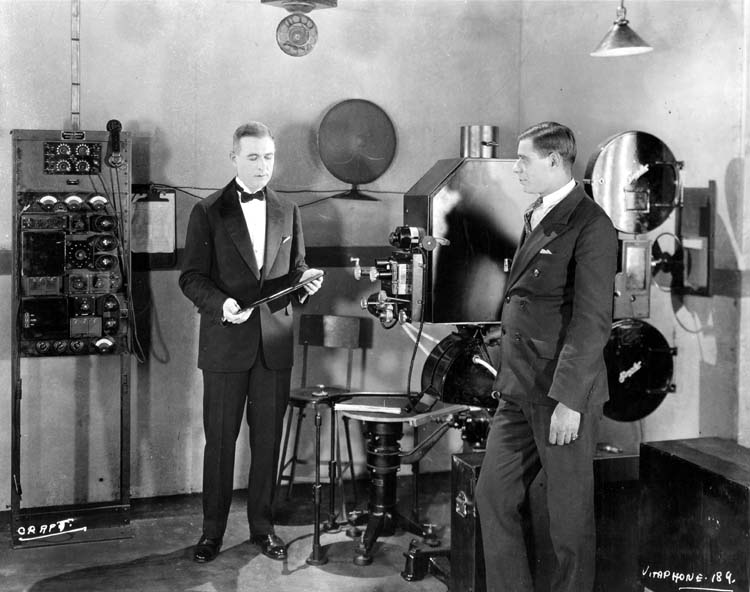
They settled on 24 fps. Why? It was determined to be the minimum speed required to ensure high-fidelity audio playback from an optical soundtrack while simultaneously maintaining a frame rate high enough to exceed the flicker fusion threshold for theater audiences. Crucially, 24 fps was also a strict financial compromise: it minimized the sheer physical amount of expensive 35mm celluloid film stock consumed during production.
Power Grids and Geography: The Physical Origins of PAL and NTSC
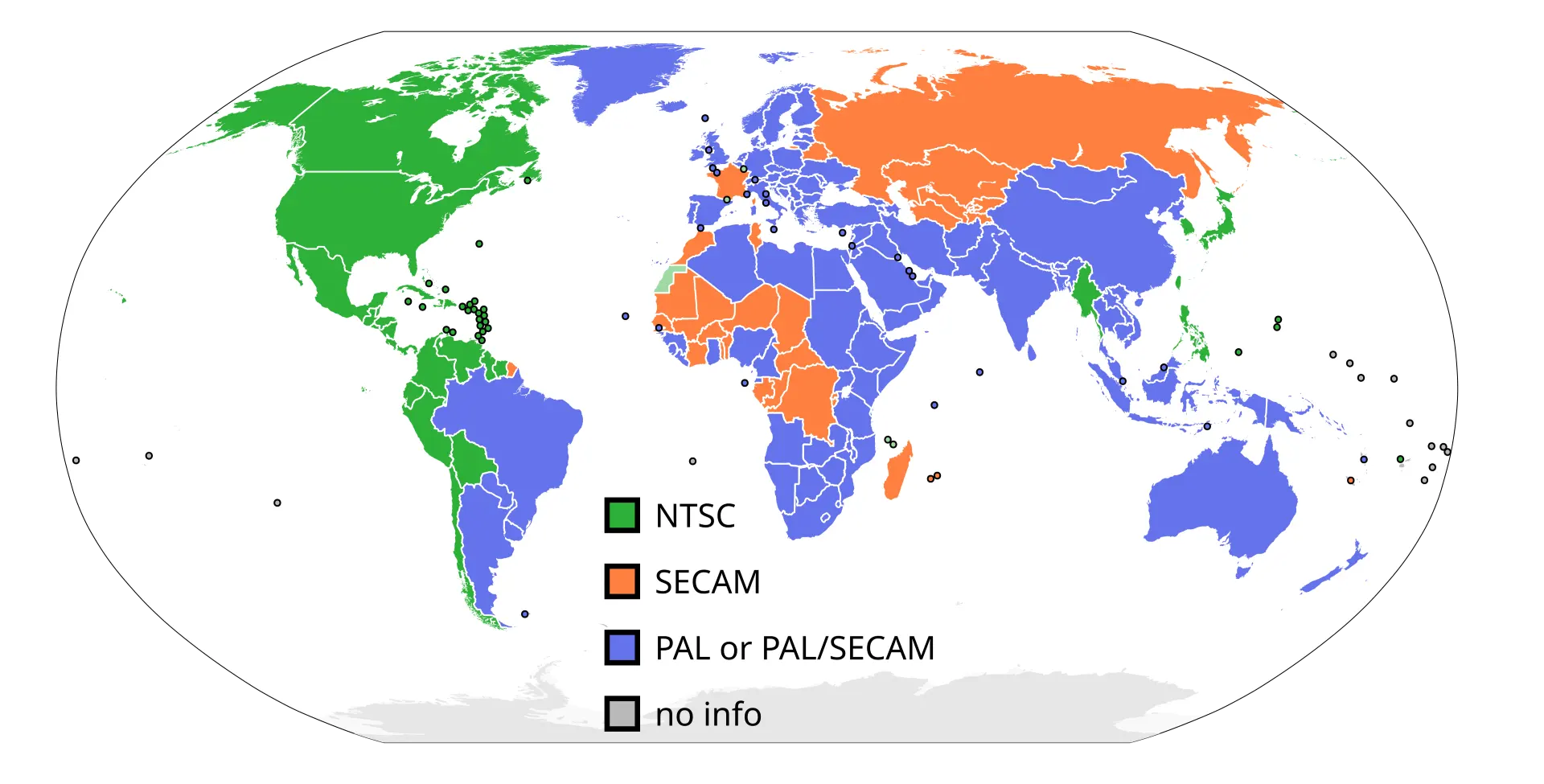
While cinema unified around 24 fps, the dawn of television broadcasting split the world along geographical lines. This fragmentation was driven by a fundamental hardware limitation of early Cathode-Ray Tube (CRT) televisions: the local electrical power grid.
Early television engineers had no access to affordable, stable quartz crystals to regulate the timing of internal electronics. Instead, they designed television scanning circuits to lock onto the frequency of the alternating current (AC) power grid of their respective regions to prevent massive rolling waves of visual interference on screen.
Because North America and Japan operated on a 60 Hz power grid, their television infrastructure was built on a 30 fps architecture (refreshing two interlaced fields at 60 Hz).
Conversely, Europe, China, and the UK utilized a 50 Hz grid, cementing a 25 fps broadcasting standard (refreshing at 50 Hz).
This early engineering dependency created a socio-technical divide that still dictates digital delivery requirements in the Pro AV and broadcast sectors today.
The Creative Canvas: Manipulating Time and Perception
Beyond the technical rigidities of broadcast standards, frame rate is one of the most powerful artistic tools in a filmmaker’s or broadcaster’s arsenal. By manipulating the relationship between the speed at which frames are captured and the speed at which they are displayed, we can alter the audience's perception of time and emotional gravity.
The Mathematics of Time Expansion: Overcranking and Undercranking
In professional cinematography, changing the speed of reality boils down to a precise mathematical ratio between Capture Frame Rate (Fc )and Playback Frame Rate ( Fp).
Overcranking
Slow Motion
When Fc > Fp , time expands. If you shoot at a high capture rate of 120 fps and play it back on a standard 24 fps cinematic timeline, the motion is stretched out over a longer duration, resulting in pristine, smooth slow motion.
Undercranking
Time-Lapse / Fast Motion
When Fc < Fp , time compresses. Capturing frames at long intervals (e.g., 1 frame per second) and forcing them onto a 24 fps or 30 fps playback architecture accelerates physical reality, ideal for tracking slow-moving phenomena like clouds, construction, or crowd dynamics.
However, the creative flexibility of slow motion depends heavily on your base delivery rate.
For instance, on a 24 fps cinema timeline, a 120 fps clip provides a 5 × time expansion (slowing down to 20% real-time speed).
On a 60 fps live broadcast timeline, that exact same 120 fps clip only yields a 2 × time expansion (slowing down to 50% speed).
The Psychology of the "Cinematic Look" vs. "The Soap Opera Effect"
Why does 24 fps feel like a romantic, high-budget movie, while 60 fps feels like a local news broadcast, live sports, or a cheap daytime soap opera? The answer is purely psychological.
For nearly a century, our brains have been conditioned by the movie theater experience to associate the subtle stutter and organic cadence of 24 fps with fictional escapism and high artistic value.
When video is captured at 60 fps or higher, the hyper-real, ultra-fluid movement strips away this psychological barrier. It mimics real life too perfectly. This is precisely why video enthusiasts universally despise television hardware settings known as Motion Smoothing or Frame Interpolation. These algorithms artificially inject fabricated transition frames into 24 fps content to push it to 60Hz or 120Hz, inadvertently creating the dreaded "Soap Opera Effect" and destroying the intended cinematic texture of the film.

The 180-Degree Shutter Rule: Harnessing Organic Motion Blur
A frame rate cannot operate in isolation; it shares an unbreakable, mathematical symbiosis with Shutter Speed. To prevent video from looking like a choppy sequence of disjointed photos or a smeary, unwatchable mess, professional camera operators rely on the 180-Degree Shutter Rule.
Derived from vintage rotary disc shutters on mechanical film cameras, the rule states that Shutter Speed should always be set to the reciprocal of double the frame rate:
At 24 fps, the ideal shutter speed is 1/48 of a second (commonly rounded to $1/50$ on digital sensors).
At 30 fps, the ideal shutter speed is 1/60 of a second.
At 60 fps, the ideal shutter speed is 1/120 of a second.
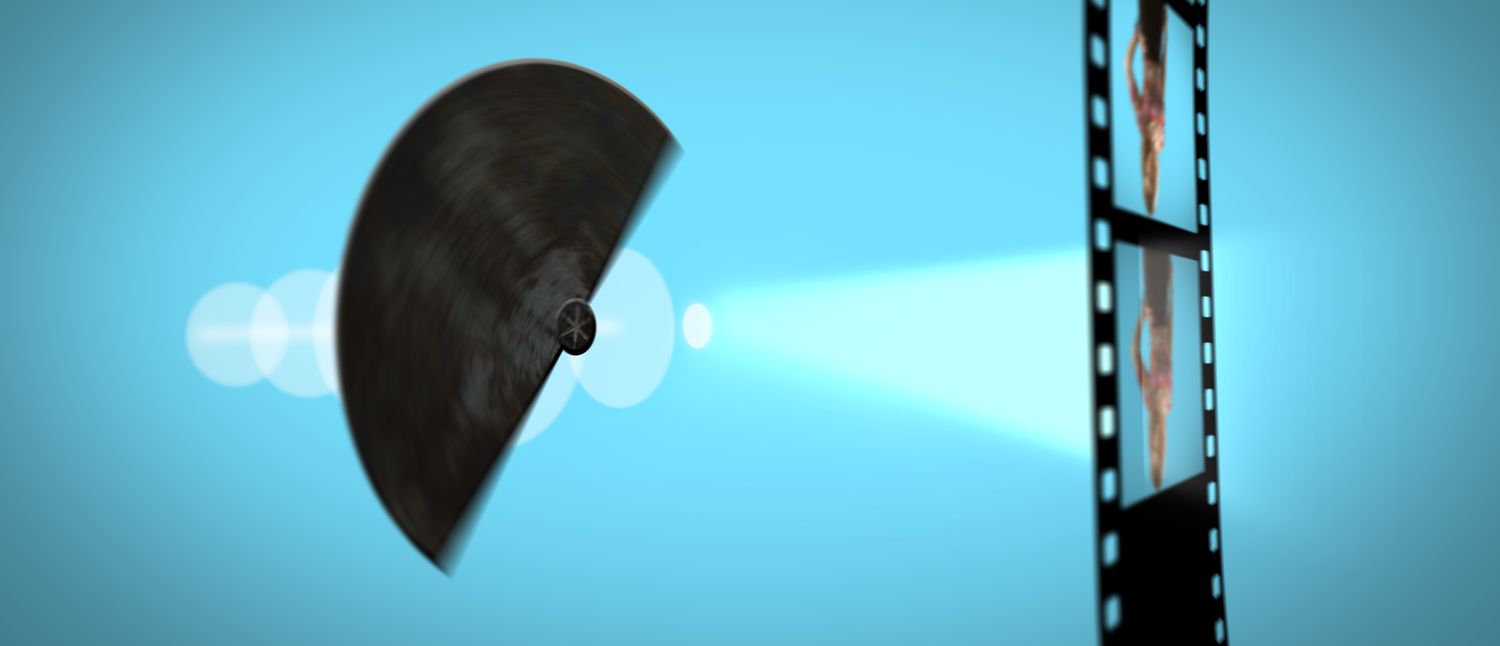
This precise 50% exposure balance per frame yields an amount of Motion Blur that perfectly mirrors how the human eye registers movement in the physical world.
If you violate this rule by shooting at a hyper-fast shutter speed (e.g., 24 fps with a $1/1000$s shutter), you eliminate motion blur entirely. The result is a hyper-sharp, frantic, and jagged aesthetic—an effect famously utilized creatively in the opening battle scene of Saving Private Ryan, but highly disruptive for standard viewing.
Conversely, dropping the shutter speed below the frame rate (e.g., shooting 24 fps at $1/12$s via digital sensor trickery) forces the camera to duplicate exposures across adjacent frames. This generates a heavy, dreamlike, smeary motion trail that should be strictly avoided unless chasing a specific hallucinatory or artistic effect.
The Deep Water of Post-Production:
Mixing Frame Rates and Conversion Logic
The Mathematical Conflict of Mixed Assets: Understanding Temporal Judder
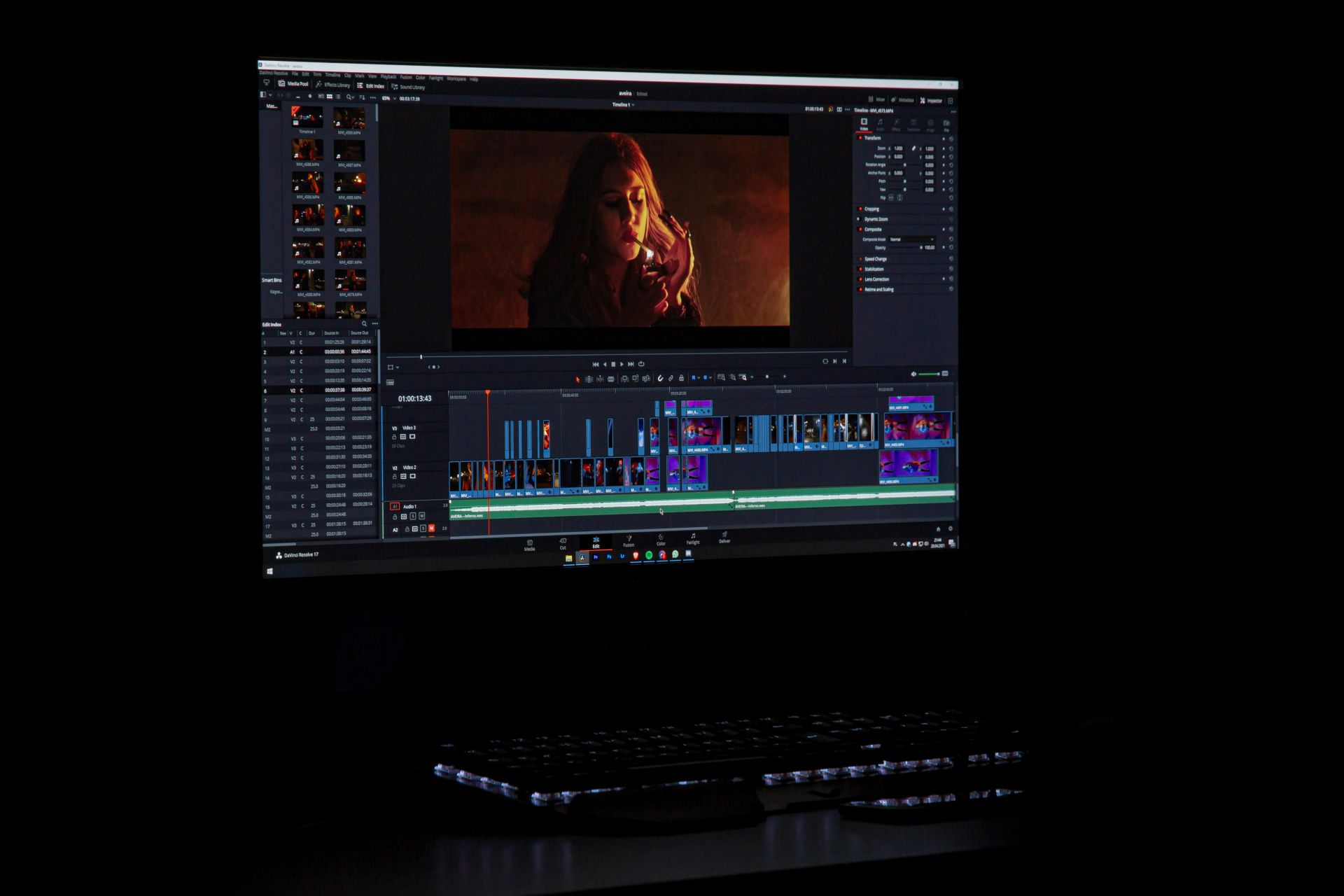
When you place a video clip with a specific Capture Frame Rate 𝑭𝑐 into an editing timeline or broadcast matrix configured to a different Target Frame Rate (𝑭ₜ), the software must perform a Frame Rate Conversion (FRC). If 𝑭𝑐 is not a perfect, clean integer multiple of 𝑭ₜ motion rendering anomalies occur.
Let’s analyze the two most common disruptive workflows:
Scenario A: Dropping a 60 fps Screen Recording/Gameplay into a 24 fps Cinematic Timeline
Because an editor cannot split a single physical frame into a fraction ($0.5$), it must mathematically choose which frames to keep and which to discard.
To convert 60 frames into 24, the software is forced to drop frames unevenly, typically discarding two frames, keeping one, dropping three, and keeping another.
Because the distance in time between the remaining displayed frames is mathematically inconsistent, the motion cadence breaks down. To the viewer, smooth pans or high-speed movements will exhibit a stuttering, halting cadence known as Temporal Judder.
Scenario B: Dropping 24 fps Cinematic Footage into a 60 fps Live Broadcast Timeline
To stretch 24 frames over a 60-frame duration, the NLE must artificially duplicate frames to fill the vacuum. It duplicates frame 1 twice, frame 2 three times, frame 3 twice, and so on. This irregular cadence (a pattern known historically as 3:2 Pulldown in traditional telecine broadcasting) creates a distinct rhythmic hopping or trailing effect during rapid horizontal motion.
The Catastrophe of Variable Frame Rate (VFR) Video
Why VFR Breaks Professional NLEs:
Professional editing software and hardware architecture are built on a foundational assumption: every frame occupies an identical, immutable slice of time. When you import a VFR file, the NLE's timeline engine struggles to interpret the erratic time stamps. This architectural conflict manifests in two critical errors:
1. Catastrophic Audio Sync Drift: Because the video frames contract and expand while the master audio track records at a perfectly linear sample rate (e.g., 48kHz), the audio will gradually drift entirely out of sync with the video—frequently shifting by several seconds over a 10-minute duration.
2. Decoding Performance Collapse: The CPU/GPU decoding architecture must constantly compute changing frame durations on the fly, leading to dropped editing previews, unrendered timelines, and frequent application crashes.
The Pro AV Remediation Workflow:
If you are forced to utilize VFR smartphone or screen recording assets in a professional corporate production pipeline, you must establish a mandatory preprocessing step: Transcode VFR to CFR via hardware-accelerated mezzanine encoding. Using tools like Adobe Media Encoder, Handbrake, or Apple Compressor, you must transcode the unpredictable VFR asset into a robust, high-bitrate CFR standard—such as Apple ProRes 422 or DNxHR—locking it to a static frame rate (e.g., 29.97 CFR) before the asset touches your primary editing timeline.
How Display Refresh Rates (Hz) Dictate Motion Quality
You can shoot with a perfect 180-degree shutter, edit on a pristine constant frame rate timeline, and master your file through a high-end broadcast switcher. However, the ultimate arbiter of your video quality is the Display Architecture of the screen where your audience views the final delivery. The relationship between Video Frame Rate (FPS) and Monitor Refresh Rate (Hz) is the final, often overlooked variable that determines whether motion looks fluid or unwatchably jittery.
The Mathematical Conflict of 60Hz: The 24 fps Matrix Disconnect
A monitor or television's refresh rate, measured in Hertz (Hz), defines how many times per second the physical panel redraws its liquid crystals or illuminates its organic LEDs. For decades, due to historical legacy and international power grid conventions, 60Hz has reigned as the global standard for computer monitors and displays.
For 30 fps and 60 fps assets, a 60Hz display is mathematically flawless:
The motion cadence in both scenarios remains perfectly linear and symmetric. However, look at what happens when you attempt to play standard 24 fps cinematic content on a native 60Hz display:
Because a display panel cannot perform a "half refresh," it cannot show a frame for 2.5 cycles. To compensate, the display engine must deploy an asymmetric pattern known as a 3:2 Cadence (or 3:2 Pulldown tracking).
The monitor displays Frame 1 for 3 hardware refreshes (50ms), Frame 2 for 2 hardware refreshes (33.3ms), Frame 3 for 3 refreshes, and Frame 4 for 2 refreshes.
Because individual frames sit on screen for unequal durations of time, your brain detects this microscopic temporal irregularity. During slow, sweeping horizontal camera pans, this asymmetry manifests as a distinct, pulsing physical stutter known as Display Judder.
120Hz Architecture: The Unified Panacea for Pro AV and Cinema
To eliminate display judder without altering the native, artistic speed of 24 fps film, display engineers developed high-refresh-rate panels—most notably 120Hz panels.A 120Hz refresh architecture serves as a mathematical master key, achieving a perfect integer-based frame cadence for both cinematic and broadcast standard frame rates simultaneously:
On a 120Hz professional presentation matrix or a premium consumer display, a 24 fps film plays back with absolute native precision: every single frame is held on screen for exactly 5 uniform hardware refreshes. There is no asymmetry, no fractional timing, and absolutely zero display-induced judder. The intended organic, cinematic motion texture is preserved perfectly.
Capturing Displays: Eliminating Refresh Flicker in Production
Understanding refresh rates is not just vital for viewing; it is a critical survival skill for camera operators on set. If you are filming an environment that contains electronic displays, LED video walls, or computer monitors (such as corporate boardrooms, esports arenas, or news sets), you will often encounter a catastrophic visual defect: rolling black bars or violent screen flicker.
This occurs because the camera's shutter speed is out of sync with the display panel’s internal PWM (Pulse Width Modulation) refresh frequency or backlight scanning cycles.
To eliminate this on set, camera operators must break away from the standard 180-degree shutter rule and utilize features such as Synchro Scan (or Clear Scan). This allows the camera to fine-tune its shutter speed to precise decimal values (e.g., setting the shutter speed to an exact 1/60.14 of a second rather than a generic 1/60) to perfectly match the telemetry of the targeted display, eliminating phase interference and capturing a rock-solid screen image.
Frequently Asked Questions (FAQ)
Conclusion
Frame rates are rarely the most glamorous topic in video production, but they influence every stage of the workflow — from capture and editing to streaming and final playback.
The good news is that the underlying logic is consistent. Once you understand how frame rates, shutter speeds, and display refresh rates interact, many common issues — such as judder, flicker, or sync problems — become predictable and avoidable.
Technology will continue to evolve, but the fundamentals remain the same. The better you understand motion and timing, the more control you have over how your content ultimately looks on screen.